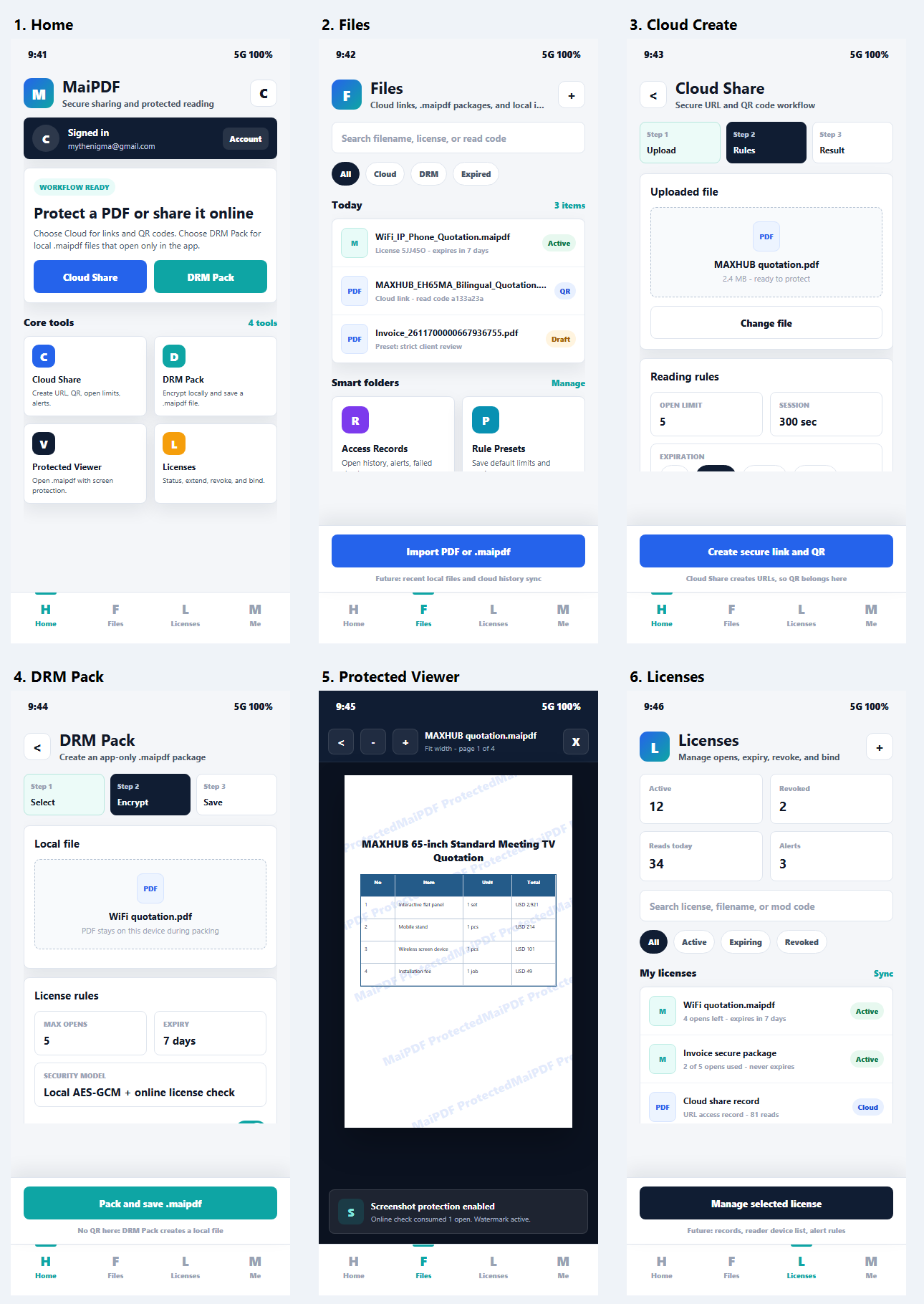
MaiPDF App v2 overview
A combined overview image for quickly showing the full App DRM direction: dashboard, protected packaging, protected viewer, files, and management surfaces.
Overview Store planning.maipdf sharingUse these screenshots to review the App DRM story: cloud sharing for quick links, protected packaging for .maipdf, screenshot-aware protected reading, and license management for revoke, expiry, and open limits.
Clean MaiPDF App UI screenshots/mockups for website and store-material planning.
Website galleries, App DRM explainers, App Store/Google Play screenshot composition, and promo videos.
Lead with screenshot blocking, then explain device rules, revoke, license checks, and watermark tracing.
All current App DRM images
All current App DRM screenshots and reusable concept visuals collected in /images/maipdf2026/app-drm/ are shown below, with a short note about where each image fits in the product story.
A combined overview image for quickly showing the full App DRM direction: dashboard, protected packaging, protected viewer, files, and management surfaces.
Overview Store planning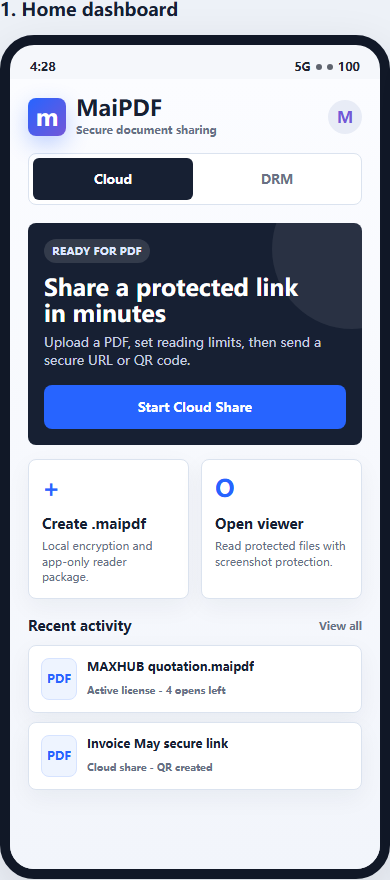
The starting point: users can choose quick Online Cloud Sharing or switch to stronger App DRM protection for sensitive PDFs.
Dashboard Two-path story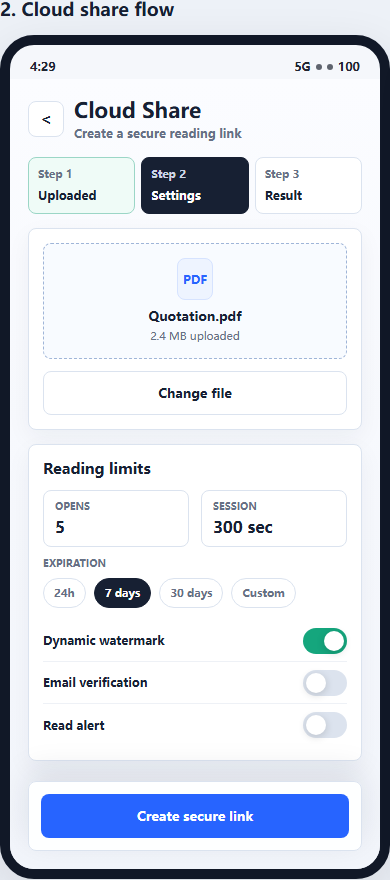
Shows the fast path for browser-based PDF links and QR codes before users decide whether the document needs App DRM.
PDF link QR code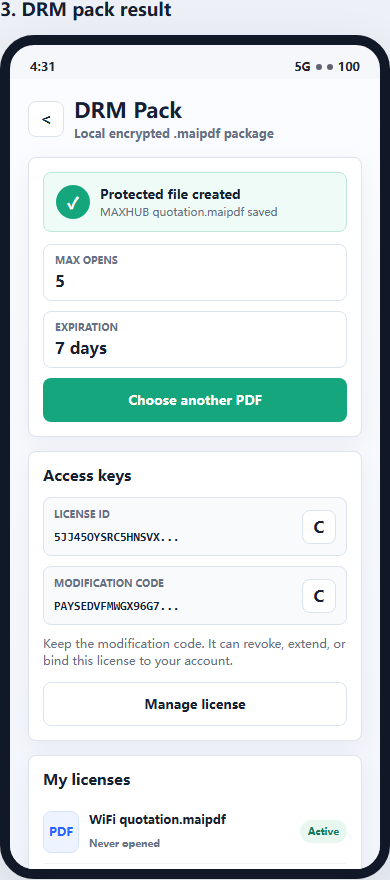
The clearest visual for “turn this PDF into a protected .maipdf file” — useful for App Store screenshot #2.
Protected package .maipdf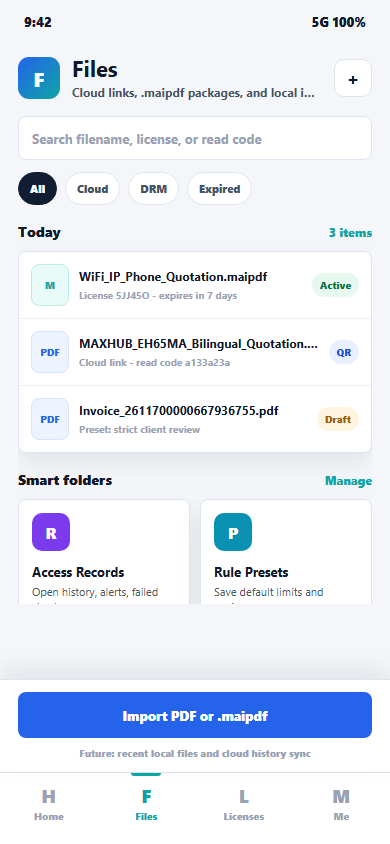
This screen covers the local file list after packaging: open a .maipdf file, share it, manage the license, or delete the local record.
Files Local library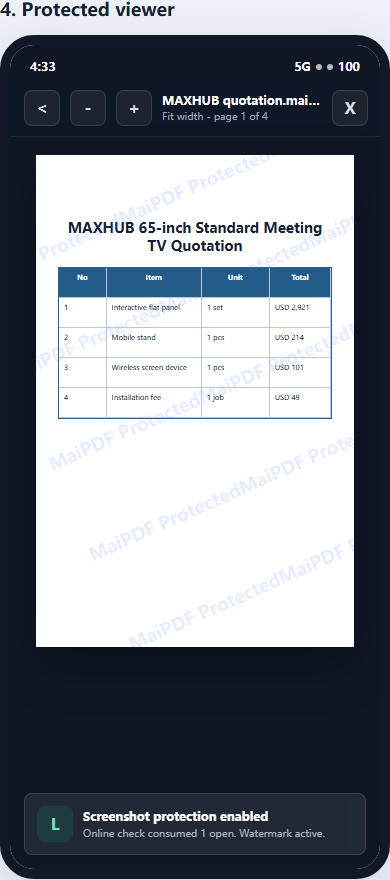
The strongest App DRM screenshot: it directly supports the message “block screenshots for sensitive PDFs” inside the protected reader.
Screenshot blocking Protected reader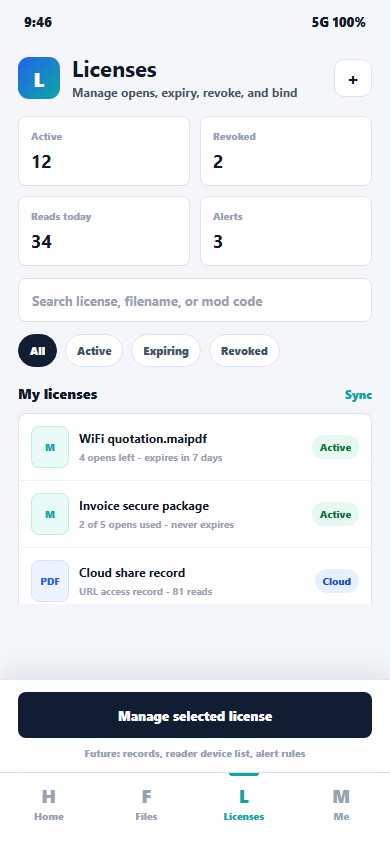
Shows the owner controls: check status, add opens, extend expiry, revoke access, and manage license rules after sharing.
License rules Revoke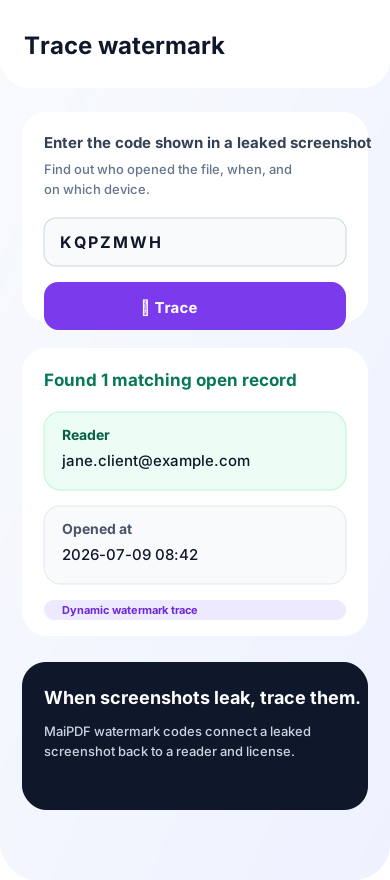
Generated from the app’s Trace watermark page logic: enter the code from a leaked screenshot and identify the matching reader/open record.
Watermark trace Leak response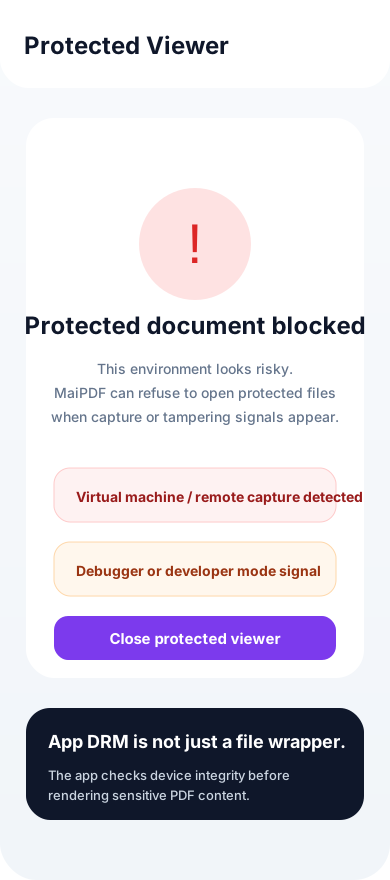
Generated from the protected-viewer environment gate: when a risky environment is detected, protected content can be blocked before rendering.
Device integrity Risk block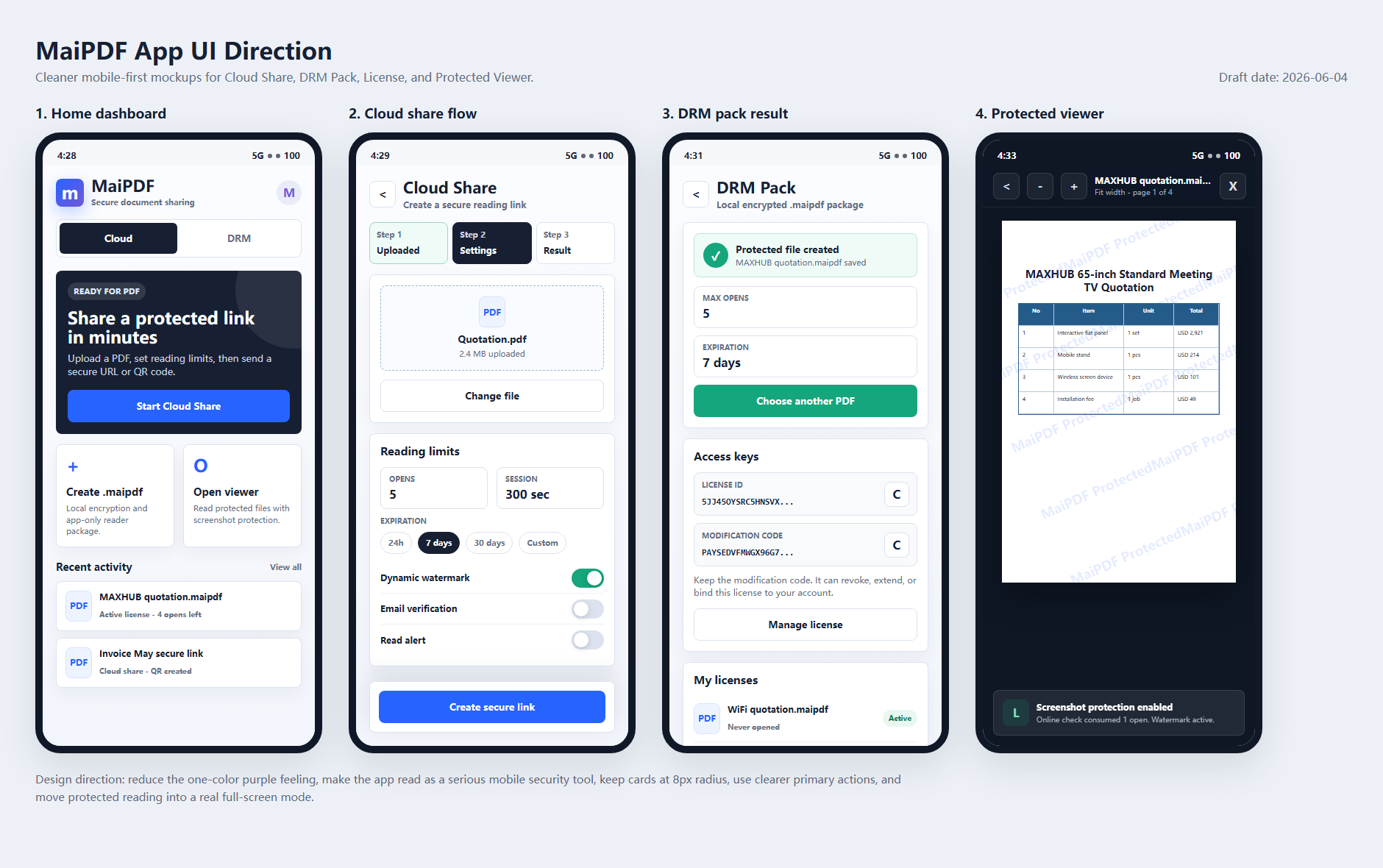
A wide overview image that can be used for homepage modules or social previews when a single screen needs to summarize the app.
App overview PromoReusable concept visuals
These are the unique taiji / ink-style concept images shared today. They are saved here so future homepage, article, social, and promo-video work can reuse them without searching chat history. Exact duplicate uploads were skipped.

A strong horizontal banner for Chinese homepage or social use: one PDF, two ways, with Online Sharing on the light side and App DRM on the dark side.
Taiji concept Chinese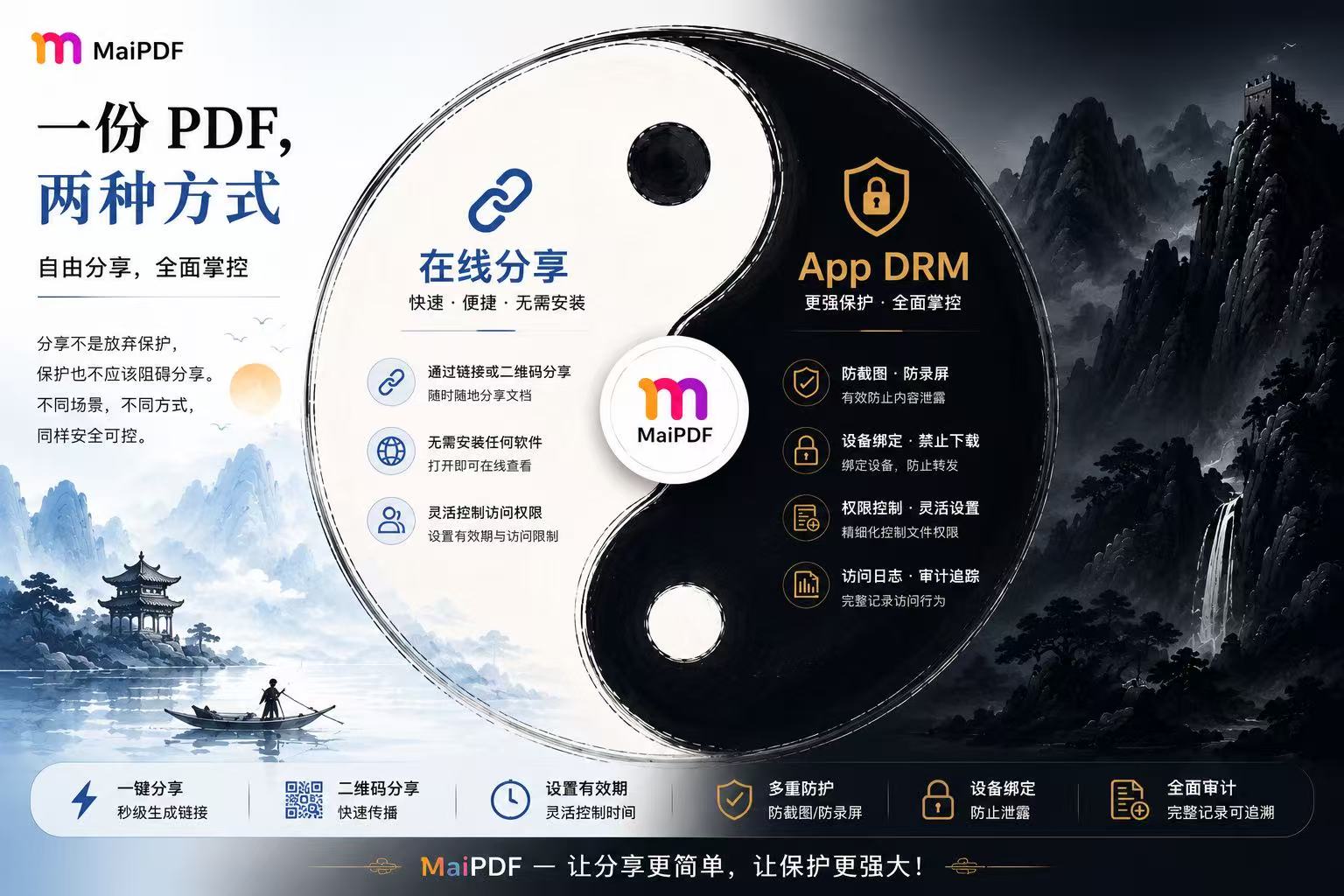
A detailed wide visual with feature bullets for link/QR sharing, no installation, access limits, screenshot blocking, device binding, and audit tracking.
Taiji concept Wide hero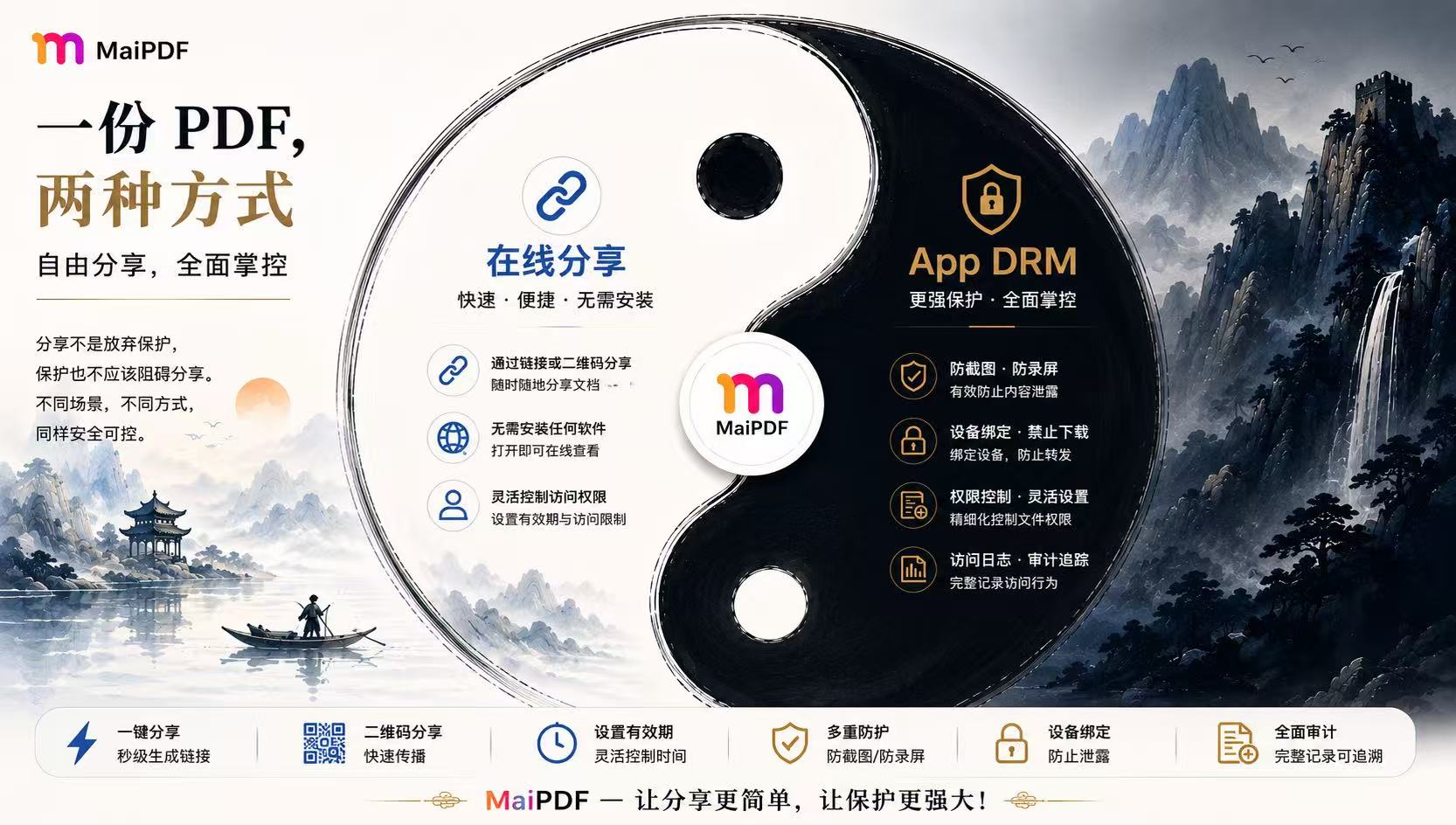
Another horizontal version with the same two-path story and a cleaner gold headline, useful for comparing color direction before final homepage design.
Taiji concept Variant
A cleaner visual reference for a homepage right-side illustration: Online Sharing as the fast browser path and App DRM as the stronger protected path.
Taiji concept Square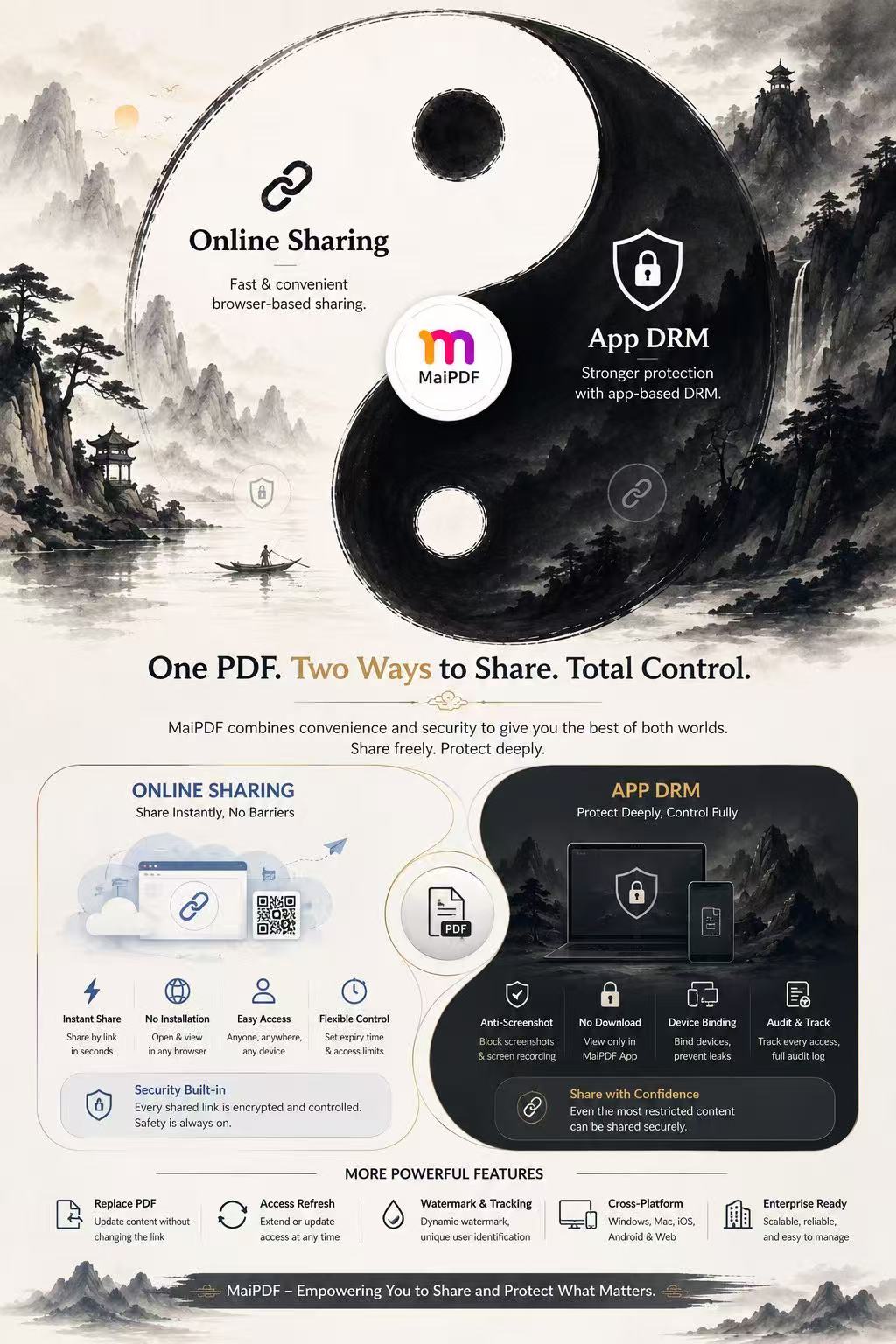
The most complete English product story: “One PDF. Two Ways to Share. Total Control.” Good for landing-page inspiration, not as tiny body text on mobile.
Taiji concept English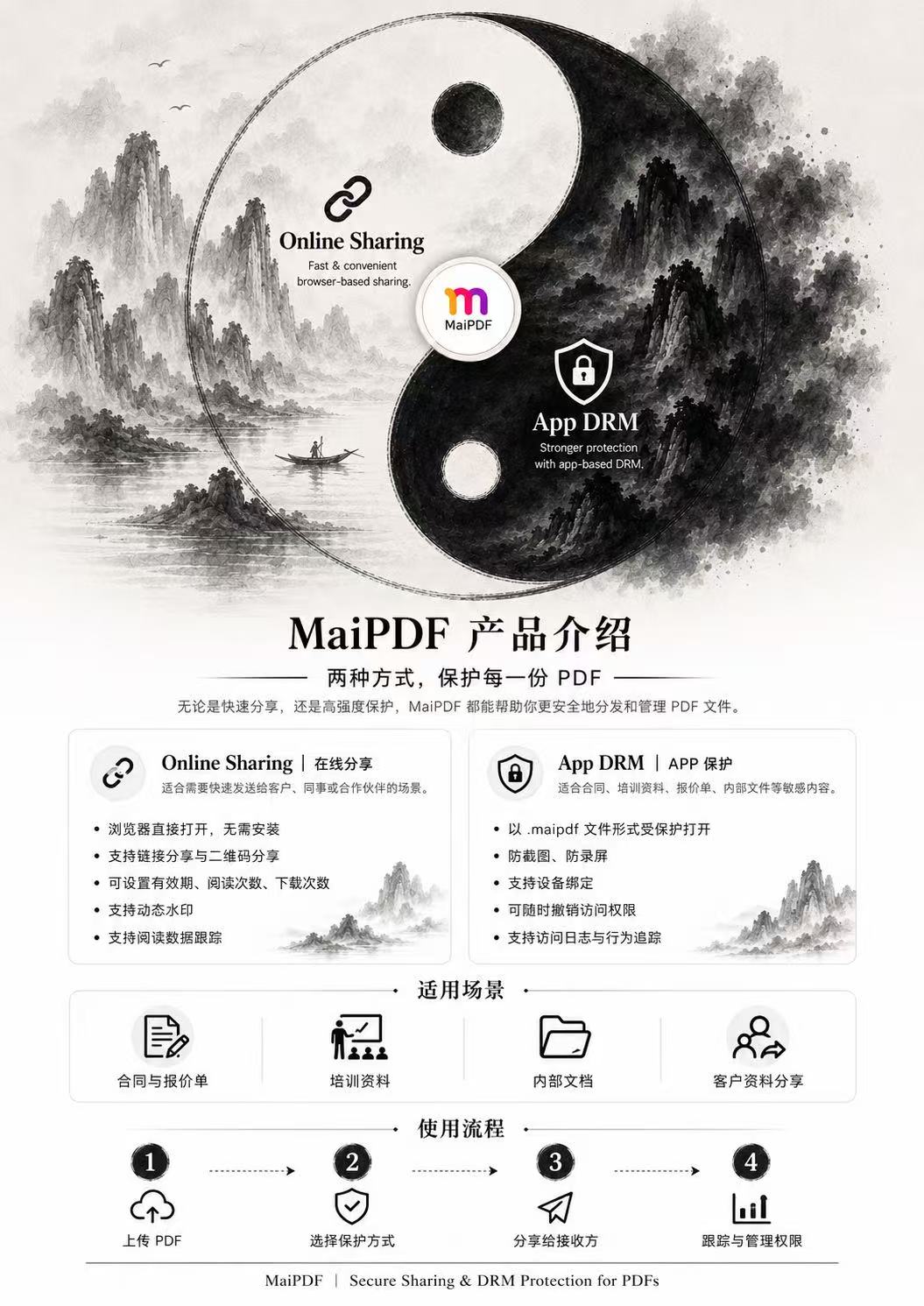
A vertical Chinese explainer covering Online Sharing, App DRM, scenarios, and the basic workflow from upload to permission management.
Taiji concept Product intro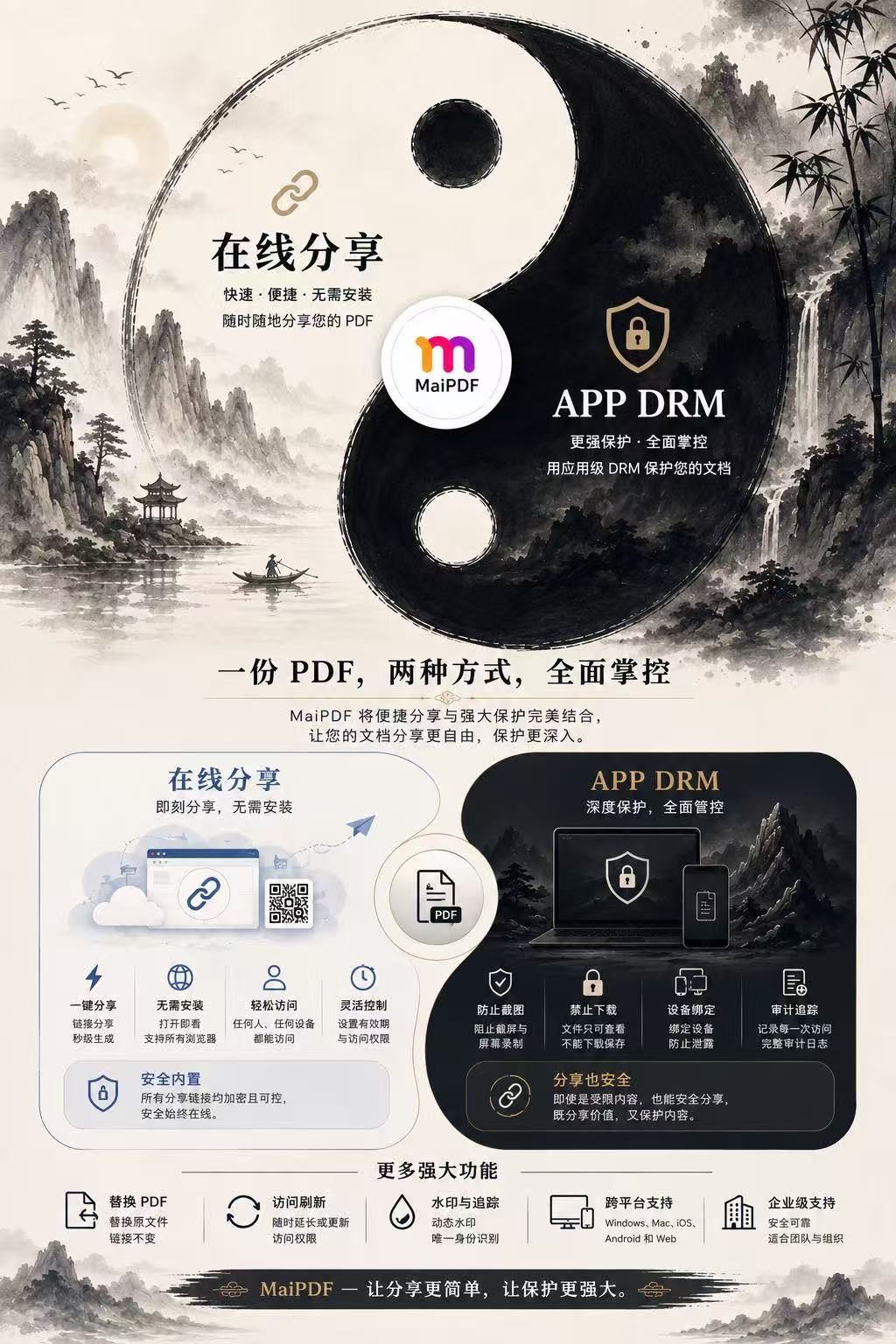
A more feature-rich vertical poster with Online Sharing and APP DRM panels, bottom feature row, and Chinese copy for future marketing adaptation.
Taiji concept Detailed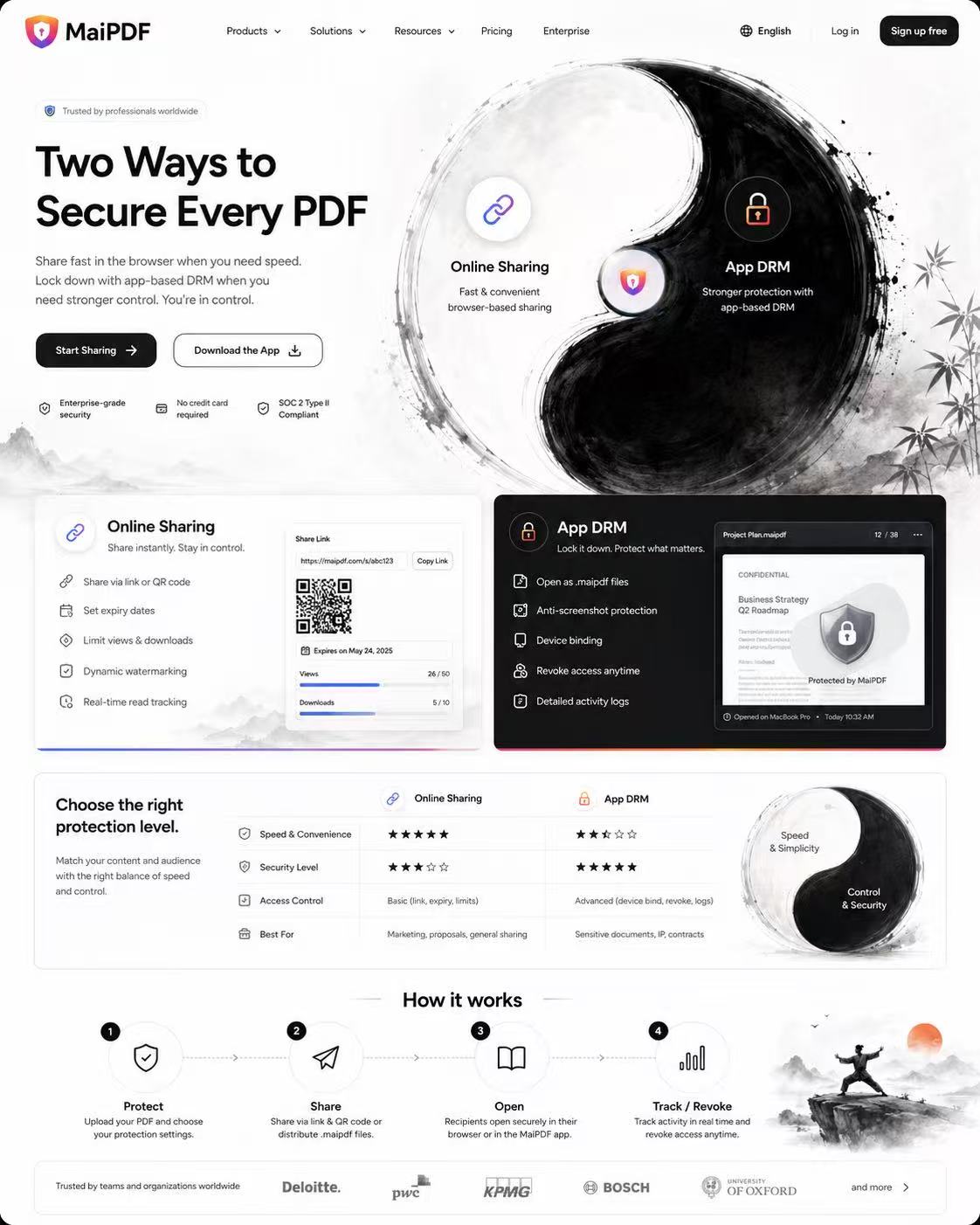
A full homepage-style concept with two product paths, comparison sections, and feature areas. Useful as a design reference, but claims/logos must be verified before reuse.
Taiji concept Homepage reference1) Protected viewer / screenshot blocking → 2) DRM Pack / .maipdf → 3) License rules → 4) Trace watermark → 5) Security blocked state → 6) Cloud share flow → 7) App overview.
Back to homepage