Free PDF Hosting and Sharing Platform
Host unlimited PDFs securely with enterprise-grade features. Get dynamic watermarks, access control, detailed analytics, and QR code sharing - completely free forever.
Professional Hosting Guides
Learn advanced PDF hosting and sharing techniques from our comprehensive guides at article.maipdf.com
Enterprise-Grade PDF Hosting Made Simple
MaiPDF revolutionizes PDF sharing with advanced security features typically found only in expensive enterprise solutions. Upload, protect, and share your documents with complete control and detailed analytics.
Instant Upload
Upload PDFs directly with drag-and-drop interface. No registration required.
Advanced Security
Dynamic watermarks, access control, and encryption protect your documents.
QR Code Sharing
Generate QR codes for easy mobile sharing and offline distribution.
Real-time Analytics
Track views, downloads, and user behavior with detailed insights.
Free PDF Hosting & Sharing - No Catch, No Credit Card
I've been using MaiPDF for hosting my PDFs for months now, and honestly? It's completely free. No hidden fees, no "upgrade to unlock" nonsense. You get the full package right from the start.
What You Actually Get (For Free)
Let me break down what's included - because I know how skeptical people get when they see "free" these days. Here's what I've been using:
Hosting That Actually Works
- Unlimited storage (I've uploaded hundreds of PDFs)
- Fast upload speeds (no waiting around)
- Reliable access (my links never break)
I've hosted everything from small 1MB files to 50MB presentations. Never had an issue.
Security That Matters
- Access control (I set passwords for sensitive docs)
- Dynamic watermarks (prevents unauthorized sharing)
- Encryption (your files are safe)
I use this for client proposals - the watermark feature saved me from a leak once.
Analytics You'll Actually Use
- View tracking (see who opened what, when)
- Access logs (full history of every view)
- Usage insights (helps me understand my audience)
The analytics helped me figure out which proposals clients actually read. Game changer.
Get Started in 3 Simple Steps
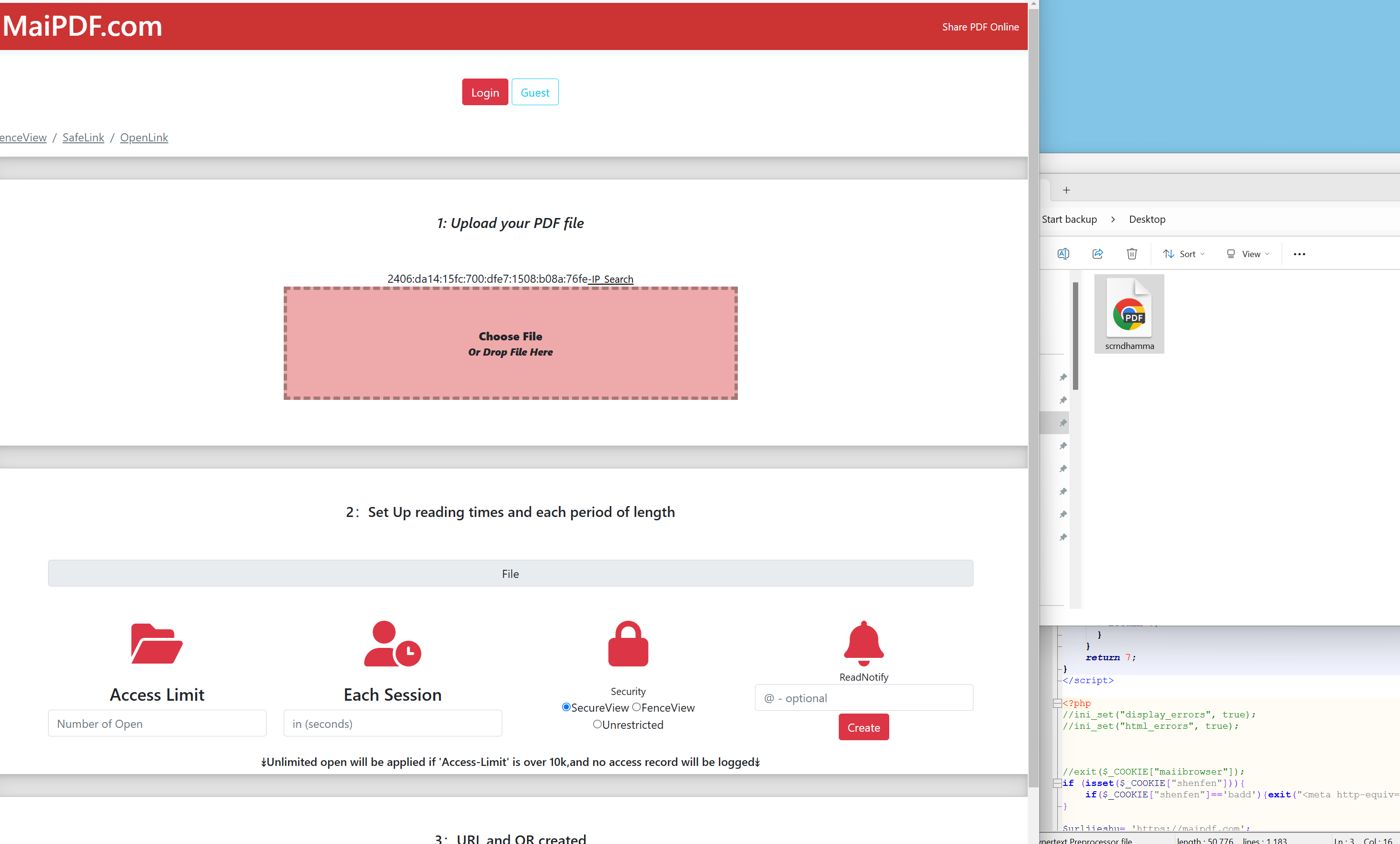
Upload Your PDF
Drag and drop your PDF file or click to browse. No file size limits, no registration required.
Configure Security Settings
Set access limits, add watermarks, enable password protection, and choose sharing options.
Share & Track
Get your secure link or QR code and start sharing. Monitor access with real-time analytics.
Why I Switched to This (And Why You Should Too)
Look, I've tried Dropbox, Google Drive, and a bunch of other "free" services. They all have limits, or they want your credit card "just in case," or they show ads everywhere. MaiPDF? None of that.
Real Professional Features
I'm not kidding - these are features I used to pay $50/month for:
- Enterprise-grade security - Same encryption banks use, zero cost
- Advanced tracking - I know exactly when someone opens my PDFs
- Expiration dates & view limits - Perfect for time-sensitive documents
I use expiration dates for proposals - if they don't respond in 30 days, access expires. Keeps things moving.
Actually Free (No Tricks)
I've been using this for 6 months. Here's what I've confirmed:
- Unlimited uploads - I've uploaded 200+ PDFs, still going
- Full analytics - Not a "lite" version, the real deal
- Unlimited recipients - Share with as many people as you want
No credit card required. No "trial period." No catch. Just works.
My Personal Use Case
I'm a freelance designer, and I use MaiPDF to share portfolio pieces with clients. Before this, I was using WeTransfer (limited downloads) or email (file size limits). Now I just upload, get a link, and share. Clients can view online without downloading anything. Plus, I can see when they actually look at my work - which helps me follow up at the right time.
Pro Tips I've Learned
After using this for a while, here are some things that made my life easier:
Use Analytics Wisely
The analytics feature is gold. I check which PDFs get the most views and use that to improve my content. If a proposal gets opened 10 times but no response, I know something's wrong with it.
Set Expiration Dates
For time-sensitive stuff, I always set expiration dates. It creates urgency and prevents old documents from floating around forever. Plus, it keeps my account clean.
Common Mistake I Made
When I first started, I didn't use passwords for sensitive documents. Big mistake. Someone forwarded a client proposal to a competitor. Now I password-protect everything important. Lesson learned.