Convert PDF to QR Code Free Online - Secure PDF QR Code Generator

Published: January 15, 2025 | Updated: December 03, 2025

Transform your PDF files into secure QR codes instantly with MaiPDF's free PDF to QR code converter. Generate password-protected QR codes for PDF documents with view limits, expiration dates, and real-time tracking. Perfect for business presentations, marketing materials, and secure document sharing.

Instant QR Generation
Convert PDFs to QR codes in seconds
Advanced Security
Protect documents with access control
Real-time Tracking
Monitor QR code scans and access
Start Converting Free View Features

Professional PDF Sharing Guides

Learn advanced PDF sharing techniques and best practices from our comprehensive guides at article.maipdf.com

PDF to QR Code Conversion

Transform your PDF documents into secure, scannable QR codes with MaiPDF. Perfect for presentations, marketing materials, and secure document sharing. Recipients can instantly access your PDFs by scanning the QR code with any smartphone.

How to Convert PDF to QR Code

MaiPDF QR Code Generation

Step 1: Upload PDF File

Visit MaiPDF and upload your PDF document. Our platform supports all PDF formats and file sizes with instant processing.

Step 2: Generate QR Code

MaiPDF automatically creates a unique QR code for your PDF. Configure security settings like download restrictions and access permissions.

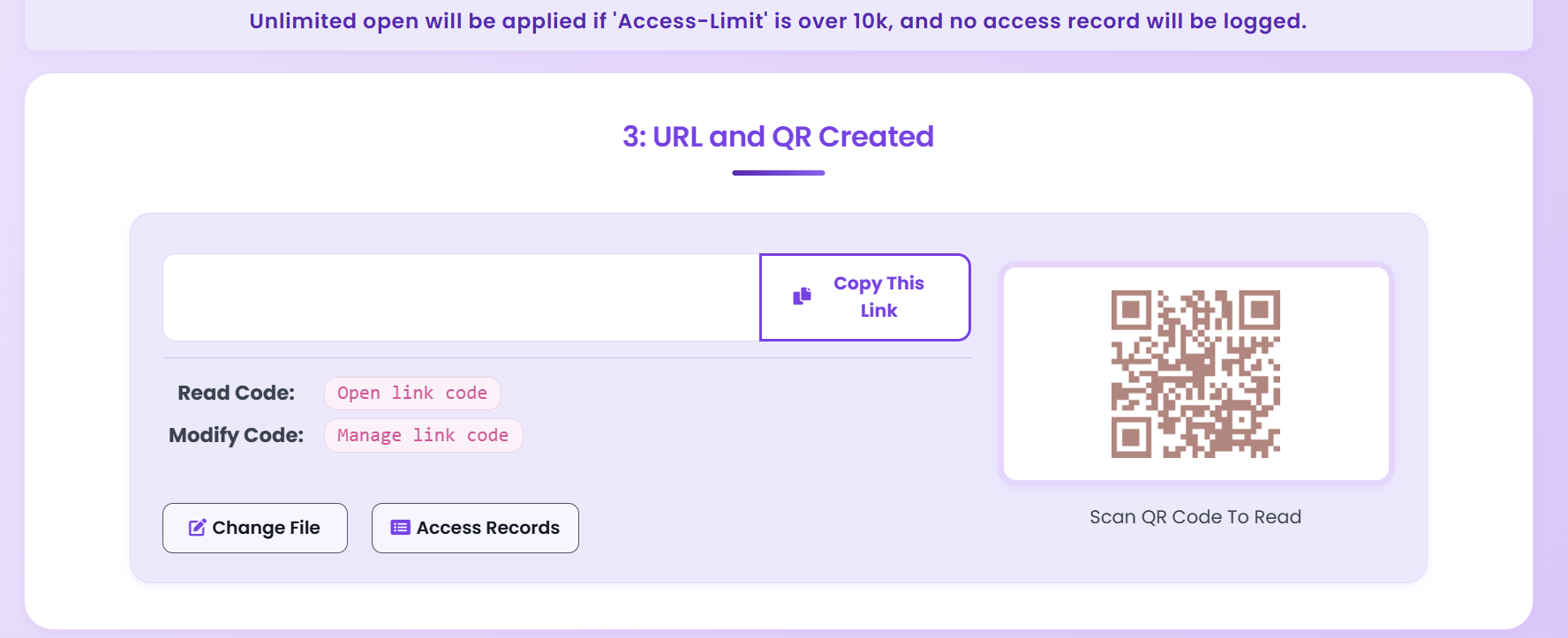
QR Code Display Result

Step 3: Share QR Code

Download or copy the QR code image and share it with your audience. Recipients simply scan with their smartphone to access the PDF instantly.

Step 4: Configure Access Control

Set viewing limits, expiration dates, and access permissions to ensure your documents are only viewed by authorized users.

QR Code Display Result

Step 5: Share QR Code Effectively

Once the QR code is generated, ensure it is shared effectively. You can include it in your marketing materials, email campaigns, or even print it on physical documents. This ensures easy access to your PDF content.

Example of a QR Code

Here’s an example of a QR code generated for a PDF:

Click here to view the PDF guide on QR code generation.

MaiPDF QR Code Features

MaiPDF QR Code Features

Why I Use MaiPDF for QR Codes (And You Should Too)

I've tried a bunch of QR code generators, and most of them are either too complicated or don't let you protect your PDFs. MaiPDF? It's dead simple. Upload your PDF, get a QR code, done. But here's what sold me: you can actually secure the PDF behind the QR code. Most other tools just create a basic link - anyone who scans it can download your file. Not with MaiPDF.

I use this for client presentations at trade shows. I print the QR code on my business cards, clients scan it, and they get instant access to my portfolio PDF. But here's the kicker - I can see who scanned it, when they viewed it, and how long they spent reading. That data is gold for follow-ups.

Key Advantages of PDF to QR Code Conversion

  • Instant Mobile Access: Recipients can access PDFs instantly by scanning with any smartphone camera - no app download required.
  • Offline Distribution: Print QR codes on business cards, flyers, or presentations for offline document sharing.
  • Enhanced Security: QR codes can be protected with passwords, view limits, and expiration dates.
  • Professional Presentation: QR codes add a modern, professional touch to printed materials and presentations.
  • Real-time Tracking: Monitor when and where your QR codes are scanned with detailed analytics.
  • Cost-Effective: Eliminate printing costs for large documents - share digital PDFs via QR codes instead.
  • Easy Updates: Update the PDF content without reprinting - the QR code link remains the same.
  • Contactless Sharing: Perfect for health-conscious environments and modern business practices.

Use Cases for PDF to QR Code Conversion

Business Presentations

Share presentation PDFs via QR codes during meetings. Attendees can scan and access materials instantly without email exchanges.

Educational Materials

Distribute course materials, handouts, and study guides via QR codes. Students can access content on their devices immediately.

Marketing Materials

Include QR codes on brochures, posters, and business cards to share product catalogs, menus, or promotional materials.

Security Features for QR Code PDFs

When converting PDFs to QR codes with MaiPDF, you can implement multiple layers of security to protect your documents:

What I Learned (The Hard Way)

Design Mistakes I Made (So You Don't Have To)

I've printed QR codes that didn't work. Here's what I learned:

  • Size Matters: Made my QR code too small once - 1cm x 1cm. Half the people couldn't scan it. Now I go at least 2cm x 2cm, bigger if possible.
  • High Contrast is Non-Negotiable: Tried a fancy gray-on-white design. Looked cool, scanned terribly. Black on white always works best.
  • Error Correction Saved Me: Had a QR code that got slightly damaged during printing. Still worked because MaiPDF includes error correction. Thank god.
  • Always Test First: I print a test copy and scan it with 3 different phones before mass printing. Saved me from a disaster once.

Security Lessons (From Real Experience)

I learned these the hard way:

  • Password Everything Important: Shared a proposal QR code without a password. Someone forwarded it to a competitor. Never again.
  • Expiration Dates Are Your Friend: Set a 30-day expiration for event materials. Prevents old QR codes from floating around forever.
  • Check Analytics Weekly: Found out someone was scanning my QR code 50+ times. Turned out to be a bot. Revoked access immediately.
  • Update Settings Regularly: I review my security settings monthly. Things change, and so should your settings.

Questions I Had (And Answers I Found)

Can I actually track who scans my QR code?

Yes! This was the feature that sold me. You get detailed analytics - I can see when someone scanned it, what device they used, even their approximate location. Super useful for trade shows. I know exactly which leads are most interested based on how many times they scanned.

How long do these QR codes stay active?

You're in control. I set mine to expire after 30 days for event materials, but you can set them to never expire, expire after a certain date, or even after a certain number of scans. I use the "expire after 5 scans" option for exclusive content - creates urgency.

What if I need to update the PDF later?

This is huge - you can update the PDF and the QR code automatically points to the new version. I use this all the time. Printed 500 business cards with a QR code, then updated my portfolio PDF 3 times. The QR code stayed the same, but the PDF content updated. No reprinting needed.

Do people need a special app?

Nope. That was my biggest concern, but modern phones (iPhone and Android) have QR scanners built into the camera. Just point and scan. No app downloads, no hassle. I've tested with dozens of people - works every time.

Is this really free?

100% free. I've been using it for months, created probably 50+ QR codes, and haven't paid a dime. No registration, no credit card, no "free trial" nonsense. Just works.

Convert PDF to QR Code Now - Free