PDF Sharing Methods: Choose Fast, Share Securely

Use this page to pick the right method in minutes, then apply only the controls you really need.

Link + QR   Access control   View records

Share PDF online methods overview

Choose the Right Method in 30 Seconds

Method Best for What to enable Main risk
Secure Link Proposals, sales decks, client docs Password + expiry + watermark Link forwarding
QR Sharing Events, brochures, printed handouts Expiry + optional view limits Public scan access if unrestricted
Email Invite Formal one-to-one delivery Email verification + access records Attachment version drift
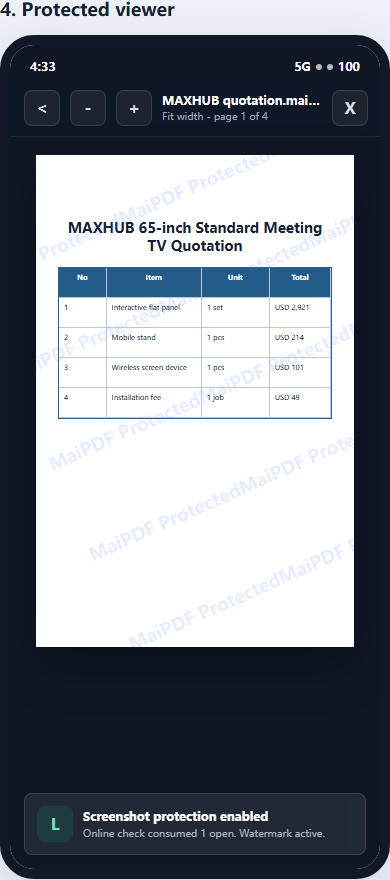
Controlled Viewer Confidential or internal documents No-download + watermark + view limits Overly strict settings hurt usability

Set Up in 3 Steps

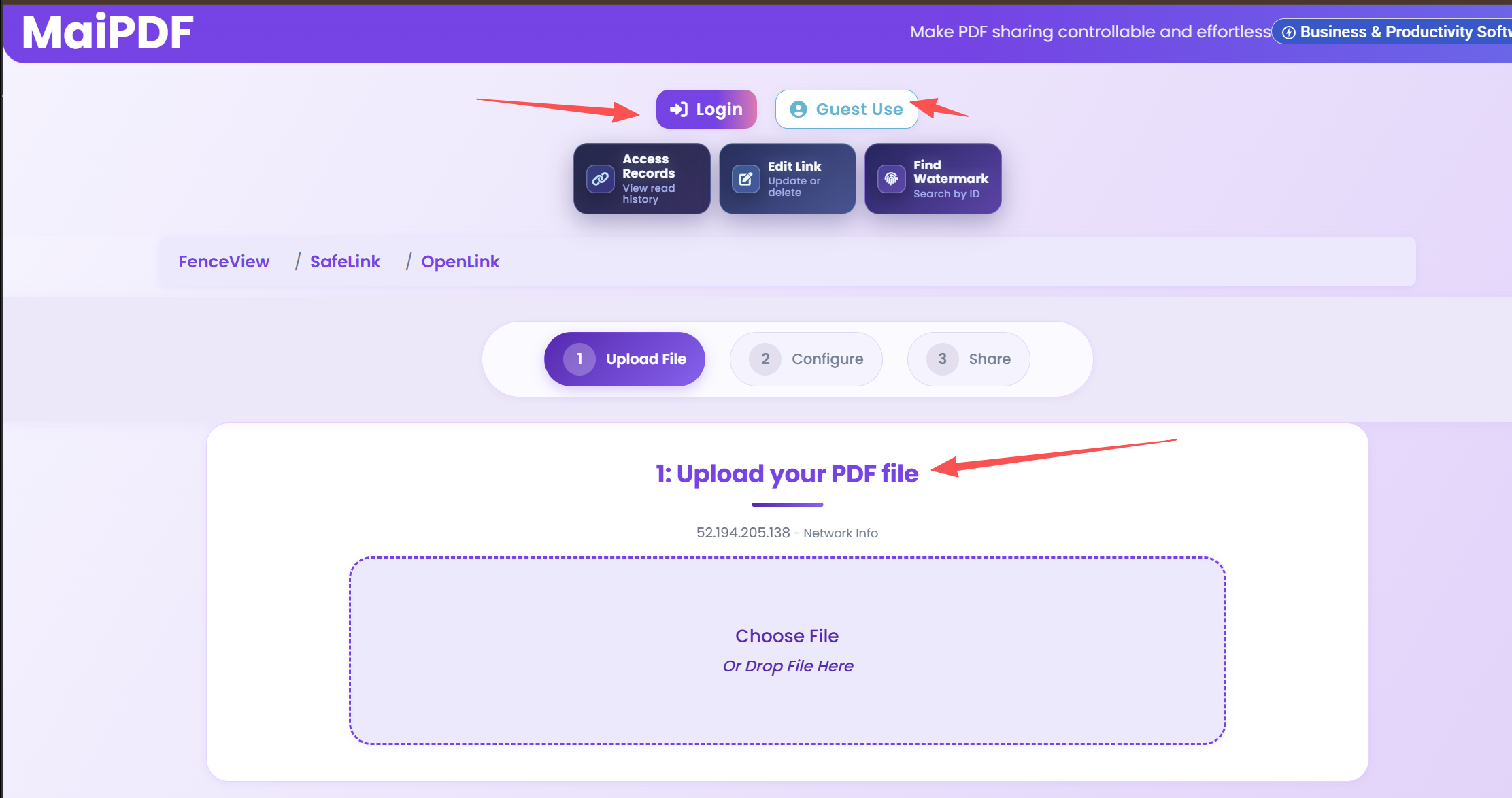
1

Upload PDF

Upload file and define audience.

Upload PDF file in MaiPDF
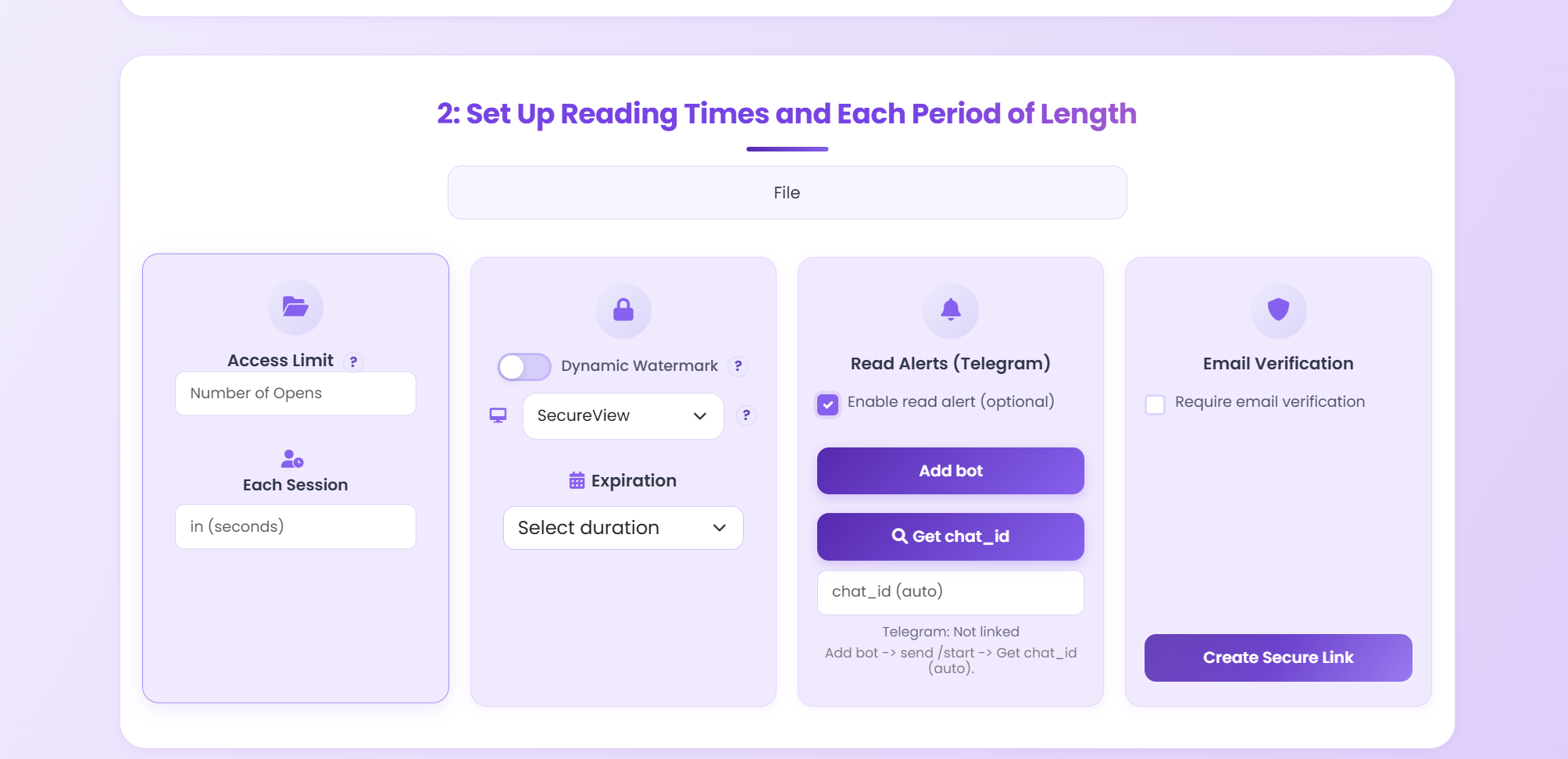
2

Apply Controls

Set expiry, limits, and watermark.

Set PDF expiration and controls
3

Share Link / QR

Send link or QR and track opens.

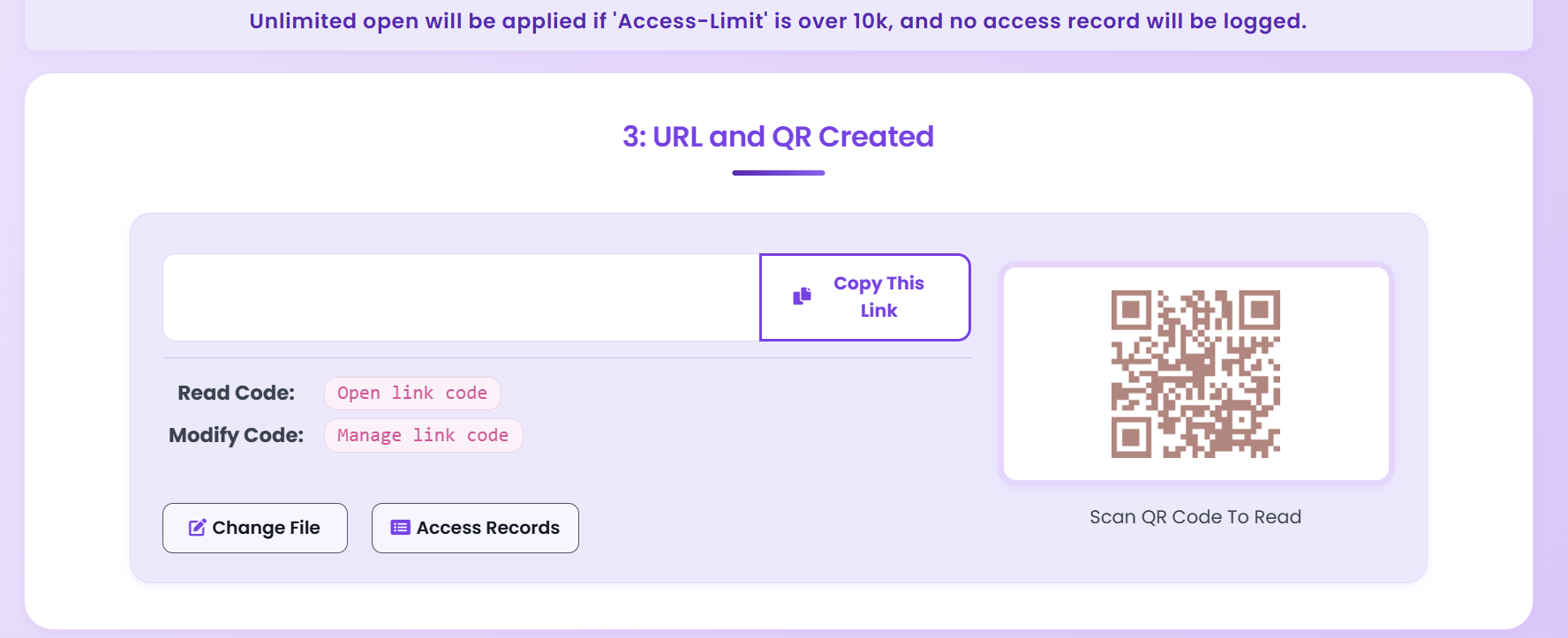
PDF sharing result with secure link and QR code

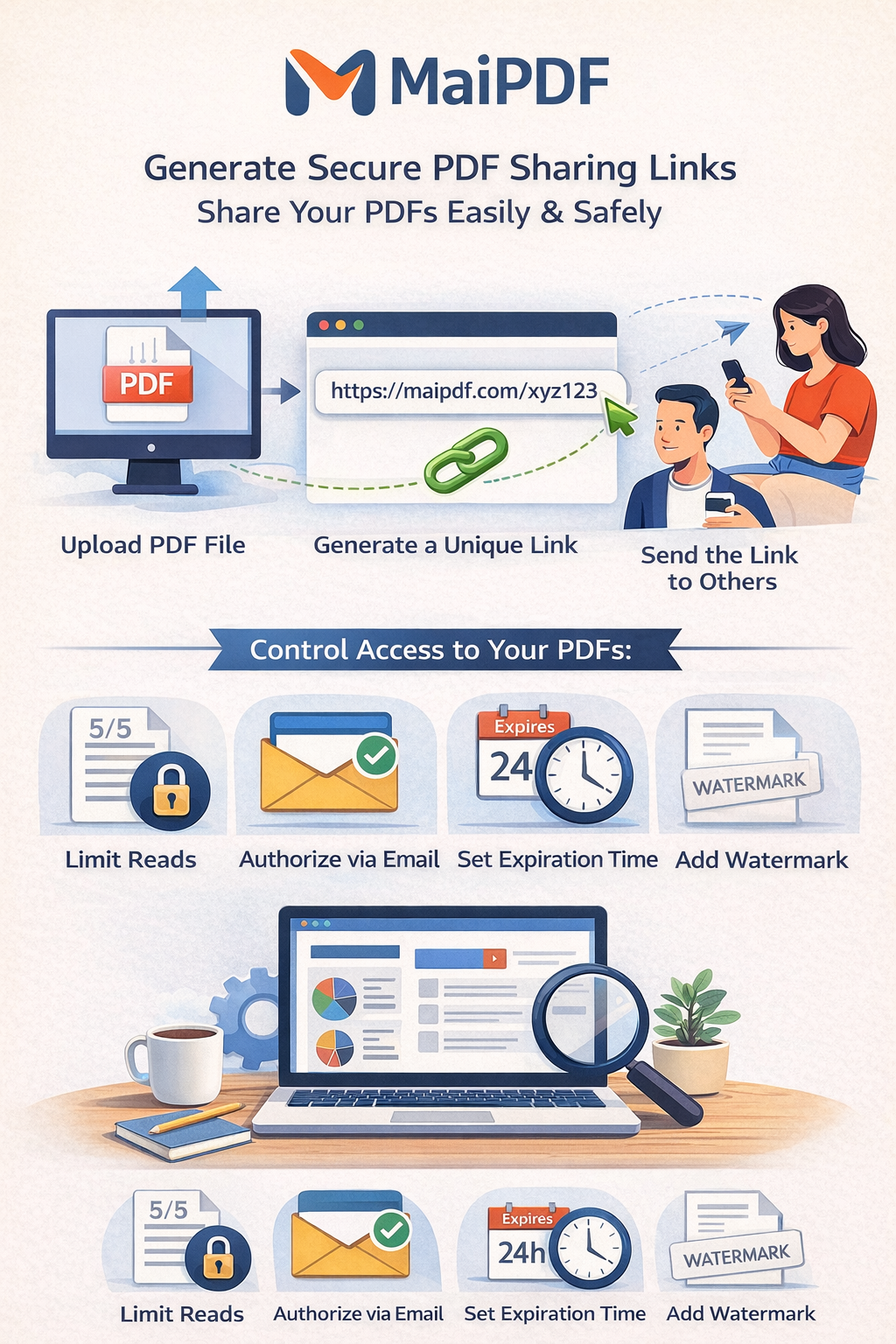
PDF Sharing Flow (Link + Control + Tracking)

PDF sharing workflow flowchart in English

Check Who Opened Your PDF

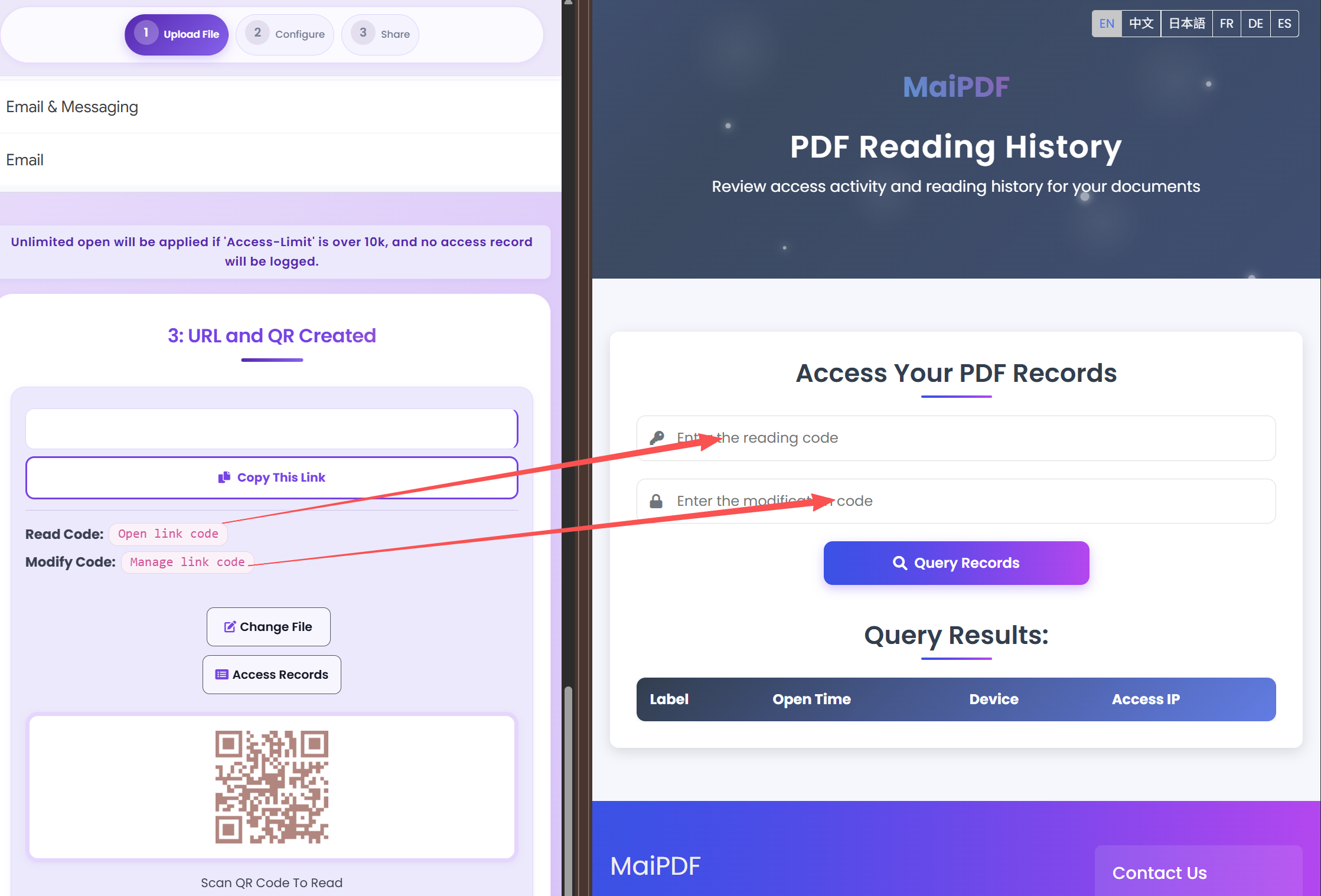
Use Read Code + Modification Code to query access records. This is the fastest way to audit shared links.

  • Copy Read Code and Modify Code from share result.
  • Open Access Records and paste both codes.
  • Query records to review open history.
How to use read code and modification code to check PDF access records

Security Layers You Should Combine

Password

Baseline protection for client access links.

Expiration

Limit exposure window for temporary docs.

View Limits

Restrict repeated open attempts.

Watermark

Discourage leaks with viewer identity overlay.

Implementation Checklist

Before You Share

  • Lock the final file version and remove draft pages.
  • Choose an access policy: open, verified, or restricted viewers.
  • Set a clear expiry window for time-sensitive documents.
  • Decide if download/print should be disabled for this audience.

After You Share

  • Check access records in the first 24 hours to confirm engagement.
  • Follow up when a key recipient has viewed the file multiple times.
  • Revoke or tighten access immediately if the link is forwarded.
  • Replace the file on the same link to avoid version drift.

Recommended Settings by Scenario

Scenario Recommended controls Follow-up action
Sales proposal Password + 7-day expiry + watermark Review open timeline before pricing follow-up
Investor update Verified viewer + no-download + revoke switch Disable access after board cycle ends
Training materials QR sharing + view limits + printable allowed Track completion and refresh old versions

Continue Reading

Share PDF Online

Core link sharing workflow.

Secure PDF Sharing Guide

Layered protection checklist.

PDF Link Sharing Guide

Practical link setup patterns.

Replace PDF Without Changing Link

Update file while keeping same URL.

Ready to Share PDFs with More Control?

Use the method matrix above, then apply only the controls your scenario needs.

Try MaiPDF Back to Articles